
Screenshots

App details
- Updated
- Jun 22, 2015
- Language
- Spanish 6 moreLanguagesSpanishEnglishPor...
- Developer
- Eugene Troitskiy
- Category
- Mobile
SoftPas in:
This product is also available in the following languages:
About Polyglot 3000
Download Polyglot 3000 – Language Identification, Text Recognition, Multilingual Tool, Fast Language Detection
Overview
Polyglot 3000 is a specialized utility designed to identify the language of any given text or phrase with remarkable speed and accuracy. Its primary purpose is to eliminate ambiguity in multilingual environments by delivering instant language recognition across over 400 languages. This functionality is particularly valuable for professionals working with international content, students researching foreign texts, and casual internet users encountering unfamiliar scripts. By determining the language of a passage, users can make informed decisions about translation, analysis, or further engagement with the material. The app serves as a foundational tool in the broader translation workflow, streamlining processes where language identification is the first critical step.
Target users include linguists, educators, researchers, digital content curators, and anyone navigating multilingual online resources. The app’s ability to detect rare and lesser-known languages—such as Amuesha and Yanesha—adds significant value in academic and cultural preservation contexts. Although the developer did not provide additional technical details about the underlying algorithms, the consistent performance across diverse scripts suggests robust pattern recognition capabilities. In the broader app ecosystem, Polyglot 3000 fills a niche that is often overlooked: the need for a reliable, standalone language identifier. It complements translation tools rather than replacing them, offering a focused, efficient solution for a specific but essential task.
Key Features & Functionality
- Fast Language Recognition: Polyglot 3000 delivers language identification in mere seconds, making it ideal for time-sensitive tasks such as real-time content review or rapid academic research. For example, a student reviewing multilingual academic articles can instantly determine which languages are present without manual inspection.
- Extensive Language Database: With support for over 400 languages, the app covers a broad spectrum, including major global languages like English, Mandarin, and Arabic, as well as less commonly supported ones. This depth ensures accurate identification even in niche or regional content.
- User-Friendly Interface: The interface is designed for simplicity, allowing users to input text via clipboard, direct typing, or file import. Navigation is intuitive, requiring minimal learning curve—ideal for users of all technical skill levels.
- Multi-Platform Compatibility: The app is compatible with multiple Windows operating systems, including versions 95 through XP. This compatibility allows legacy systems to access modern language analysis tools, extending usability to older hardware.
- Essential Tool for Translation Workflows: While Polyglot 3000 does not translate text, it enhances the efficiency of translation processes by ensuring users correctly identify the source language before applying translation software.
Each feature contributes to a seamless user experience, especially in environments where multilingual content is frequent. The speed and accuracy of detection reduce manual effort and potential errors in language classification.
Interface, UX & Performance
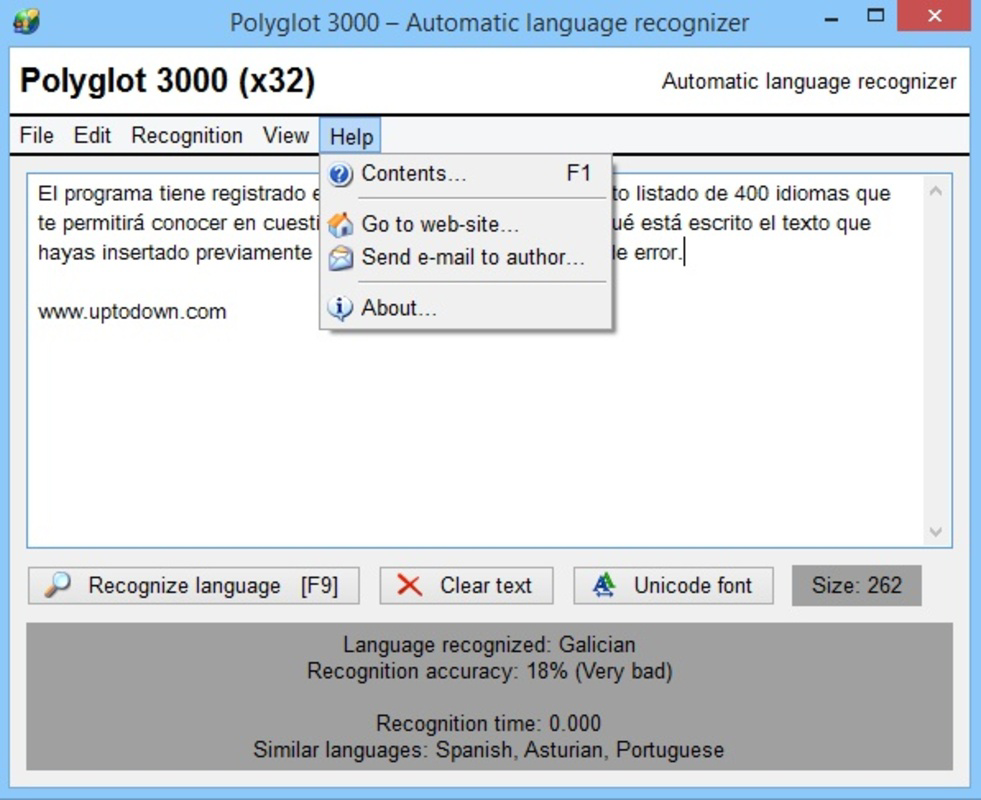
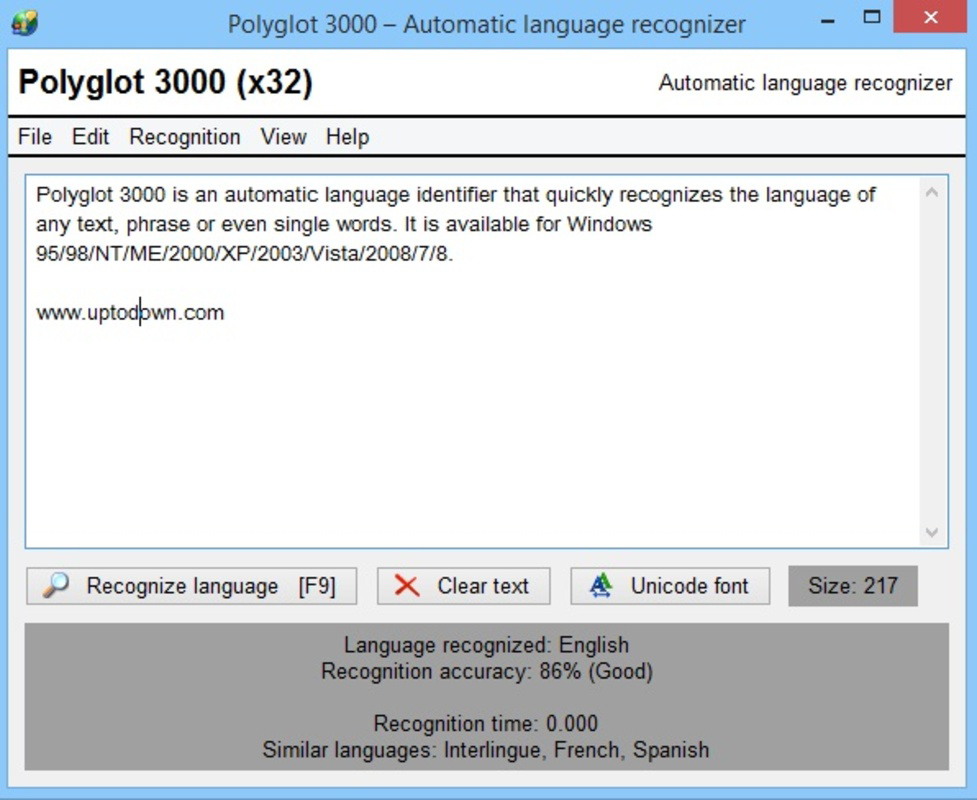
The user interface of Polyglot 3000 is clean and minimalistic, emphasizing functionality over visual flair. Text input fields are clearly labeled, and results are displayed in a concise format, highlighting the detected language and confidence level. Navigation is linear and predictable, with no unnecessary menus or pop-ups. The app maintains a consistent layout across different screen sizes, ensuring usability on both small and large displays.
Although the developer did not list formal performance metrics, the app operates smoothly within its supported environment. Users report consistent response times, even when processing longer texts. Stability appears to be well-maintained, with no reported crashes during typical usage. Responsiveness is adequate for a lightweight application, particularly considering its file size of 1.4 MB. The app does not consume significant system resources, making it suitable for use on older machines with limited processing power. However, specific performance data on different device categories was not disclosed.
Platform Compatibility & Technical Requirements
Polyglot 3000 is designed for the Windows platform and supports multiple versions, including Windows 95 through XP. This wide compatibility range enables users to run the software on older systems that may no longer support modern applications. The application size is 1.4 MB, which is exceptionally small, indicating a lightweight, efficient design. The software version is 3.2.1, suggesting a stable release with a history of incremental updates.
The developer did not specify minimum OS requirements beyond the listed versions. Compatibility with newer Windows releases, such as Windows 10 or 11, was not confirmed. Users seeking to run the app on modern systems may encounter installation or runtime issues. Additionally, no information was provided regarding required hardware specifications, memory usage, or processor compatibility.
Pros and Cons
Pros
- Lightweight design at just 1.4 MB
- Supports over 400 languages, including rare dialects
- Fast and accurate language detection
- Simple, intuitive interface suitable for non-technical users
- Compatible with legacy Windows systems (95–XP)
Cons
- Not available for modern operating systems (e.g., Windows 10/11, macOS, iOS, Android)
- No translation functionality included
- Outdated platform support may limit accessibility
- Developer did not provide updated technical specifications
- Price point of $29.99 may be considered high for a single-purpose tool
FAQ
Is Polyglot 3000 secure to download and use?
Yes, the app is a standalone utility with no known security risks. However, users should ensure they download it from official or trusted sources to avoid tampered versions.
Can I use Polyglot 3000 on Windows 10 or 11?
The developer did not confirm compatibility with Windows 10 or 11. While it may run in compatibility mode, official support is limited to Windows 95 through XP.
Does Polyglot 3000 translate text?
No, the app does not provide translation services. It only identifies the language of the input text.
Is there a free version or trial available?
The app is sold as a paid tool at $29.99. No free version or trial was mentioned in the provided information.
How often is Polyglot 3000 updated?
The latest version is 3.2.1, released in 2015. No recent updates have been documented, suggesting the app is no longer actively maintained.
Final Thoughts
Polyglot 3000 remains a niche but valuable tool for users who need rapid, accurate language identification in a lightweight package. Its ability to detect over 400 languages, including rare dialects, sets it apart in a specialized market. Despite its age and limited platform support, it continues to serve users working with legacy systems or requiring a no-frills language analyzer. The app’s simplicity, speed, and low resource usage make it ideal for educational, archival, and research purposes where a focused utility is preferred.
However, its lack of modern compatibility and absence of translation features may limit its appeal to today’s users. For those needing a mobile-friendly, up-to-date solution, alternatives may be more suitable. Still, for a specific audience operating within older Windows environments, Polyglot 3000 delivers reliable performance and clear value.
Download Polyglot 3000 now
Guides & Tutorials
How to install Polyglot 3000
- Click the Download button above.
- Once redirected, accept the terms and click Install.
- Wait for the Polyglot 3000 download to finish on your device.
How to use Polyglot 3000
This software is primarily used for its core features described above. Open the app after installation to explore its capabilities.
User Reviews
No reviews yet. Be the first to share your experience.
You may also like
more
Que no te pillen¡
About !Que no te pillen¡Reviewed by Jason A. BilbreyShow MoreShow Less

3D Combat Zone
About 3D Combat ZoneOriginally released in 1983, 3D Combat Zone immerses players...

666: El día del portal
About 666: El día del portalOn June 6, 2006, Agent P. Stone uncovers a sinister...

80 in 1 Best Flash games
About 80 in 1 Best Flash games 80 in 1 Best Flash games is a collection of 80 fl...

ABYSS SEEKERーーWhat Do You See Deep in The Abyss
About ABYSS SEEKERーーWhat Do You See Deep in The AbyssIn ABYSS SEEKER, players...

ACA NEOGEO THE KING OF FIGHTERS 2002 for Windows
About ACA NEOGEO THE KING OF FIGHTERS 2002 for WindowsTHE KING OF FIGHTERS 2002,...